Today, we will demonstrate a critical vulnerability in LLMNR, or Link-Local Multicast Name Resolution. We will describe how an attacker proceeds when attacking using the Responder tool and how to effectively defend against this security risk.
What is LLMNR?
LLMNR is a network protocol used in the Windows operating system that allows computers to translate IP addresses without having to rely on a DNS server on the local network. This protocol poses a major security risk because it can be easily exploited for attacks.
LLMNR uses port 5355 and works with both IPv4 and IPv6.
What is Responder?
Responder is a tool available for Linux that is often used for penetration testing and ethical hacking. Some Linux distributions have it pre-installed, but in others it needs to be installed manually. Responder allows you to capture and respond to queries in network protocols such as LLMNR, NBT-NS, and MDNS.
How does Responder work?
Responder listens for and intercepts queries for IP address translation that the DNS server did not respond to correctly. When a device on the network sends a multicast query requesting the translation of a specific name to an IP address using LLMNR, NBT-NS, or MDNS, Responder intercepts the query and responds to it as if it were a legitimate server.
The responder sends a fake unicast response to the client, claiming that the given hostname is associated with its own IP address (i.e., the attacker's IP address). The response contains the attacker's hostname and IP address as if it were the address of the server the client originally wanted to connect to. Upon receiving this response, the client believes that the attacker's IP address is the correct address for the server it was looking for. The client automatically attempts to authenticate using its NetNTLMv2 hash and then sends it to the attacker. This hash contains user login credentials, which can be cracked by brute force if the user has a weak password.
Pojďme se nyní podívat na samotný útok. Pro tuto simulaci jsme využili Kali Linux, který má předinstalované nástroje pro penetrační testování, včetně Responderu. Počítač napadeného uživatele používá Windows 10.
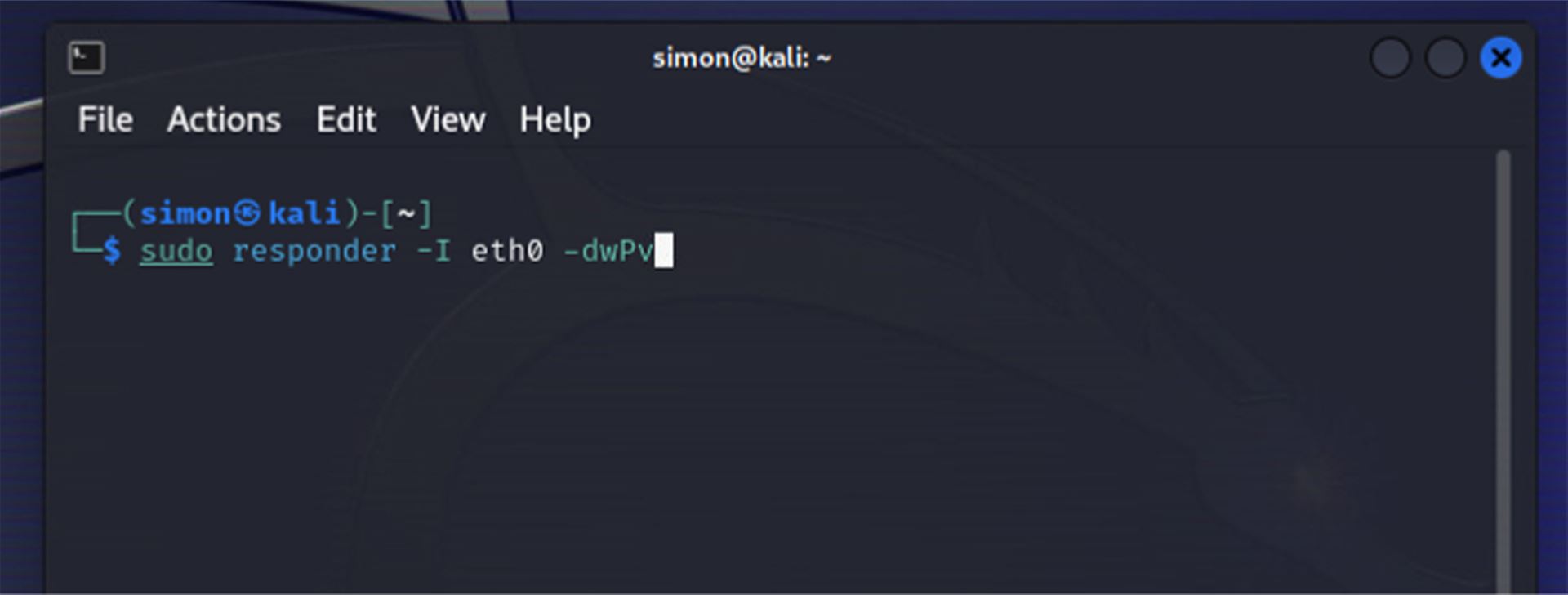
Otevřeme si terminál a zadáme příkaz pro spuštění Responderu. Dále musíme určit síťové rozhraní, které budeme používat, to se definuje pomocí parametru `-I`, v našem případě používáme rozhraní `eth0`. Za celý příkaz přidáme ještě parametry `-dwPv`, abychom aktivovali režim ladění a zajistili, že Responder automaticky odpovídá na příchozí dotazy kromě WPAD.
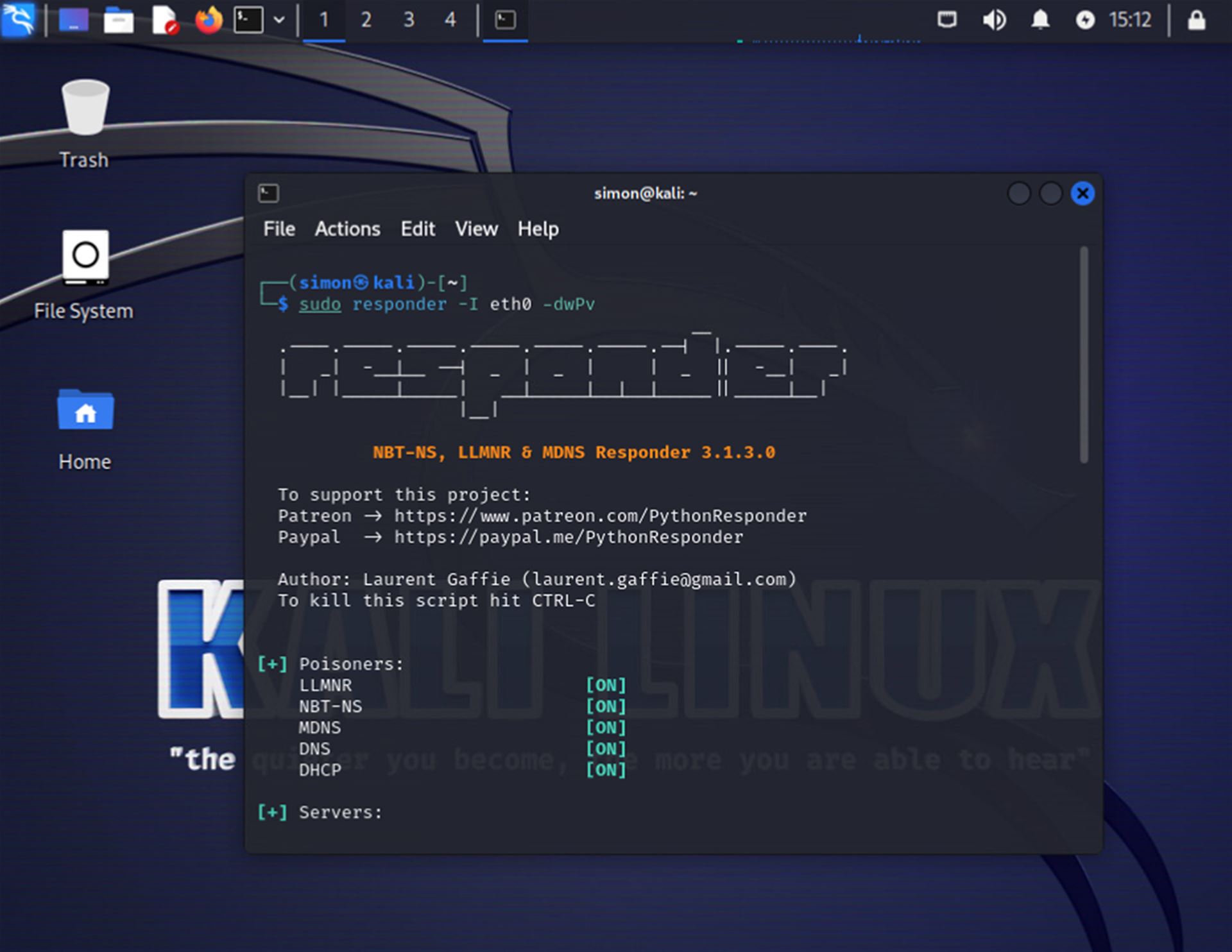
After running the command, we can see the Responder configuration, which shows what types of Poisoners and servers are enabled (almost everything is enabled by default). Responder will automatically start capturing all network queries related to the given protocols.
Attack process
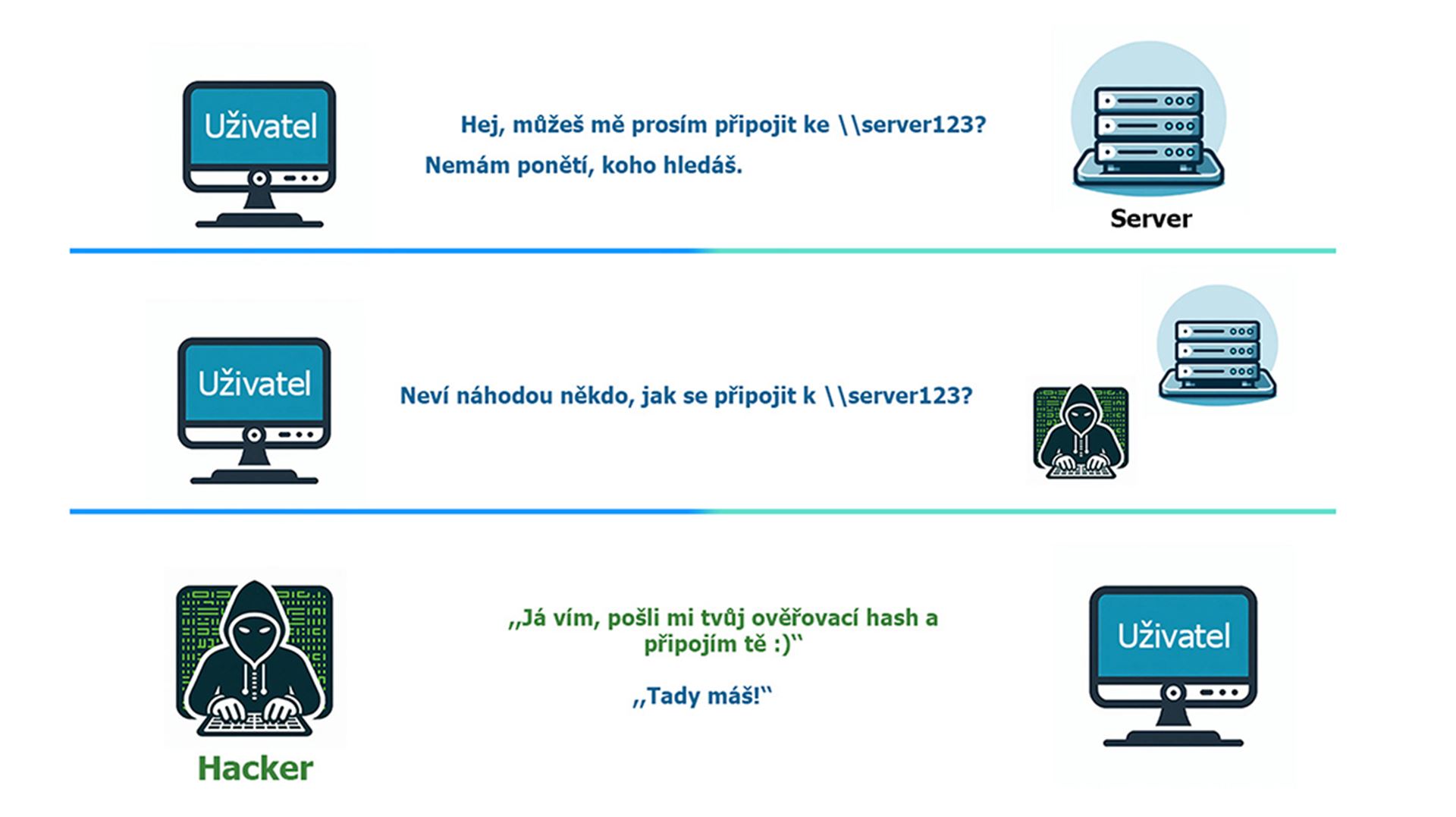
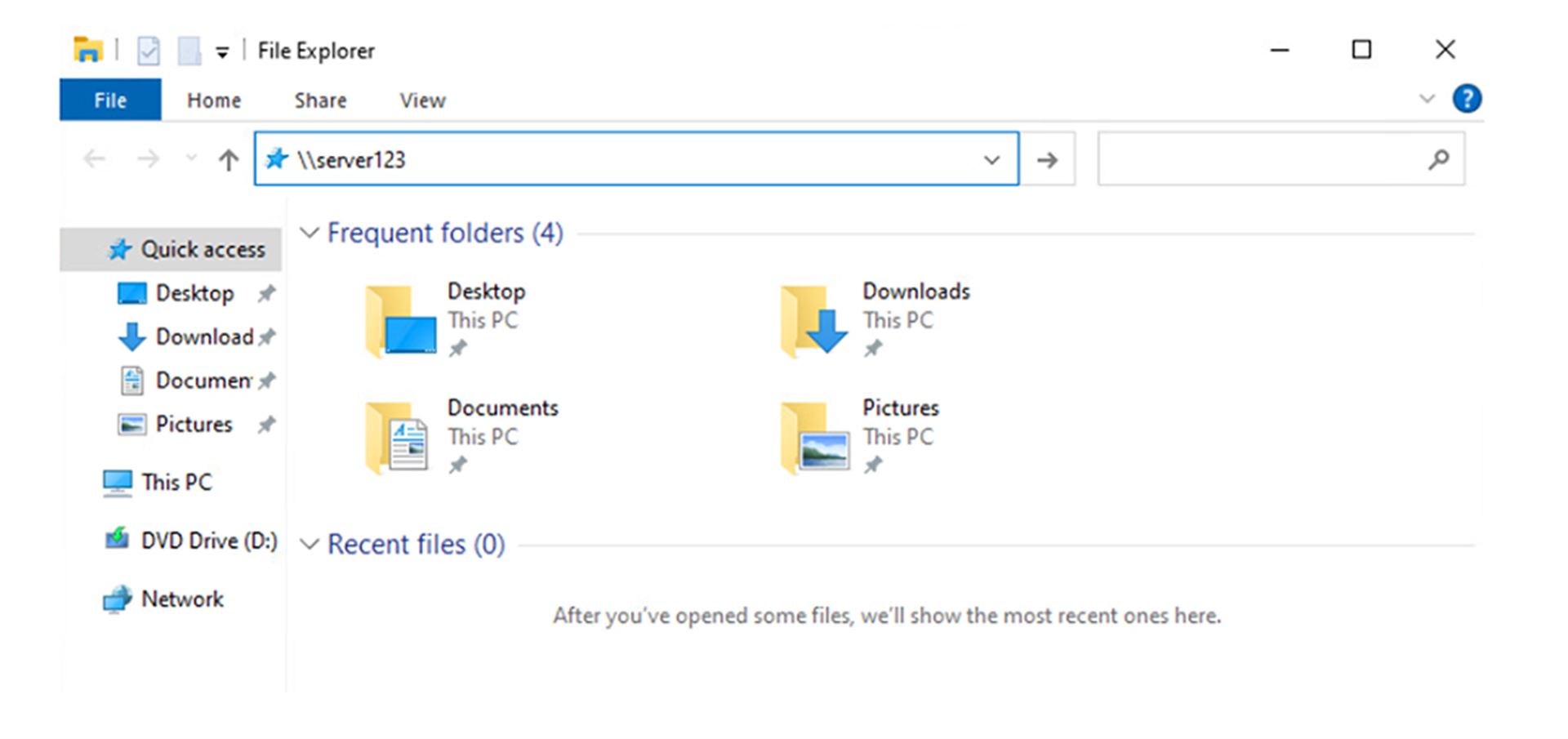
The figure below shows a user who wants to connect to a server that is not available anywhere on the network. The client first checks whether it has a record of this server in its local DNS cache, then queries the DNS server, which also has no record of the name. The only thing left to do is to check the hosts file in Windows. If this does not lead to finding the corresponding IP, LLMNR comes into play.
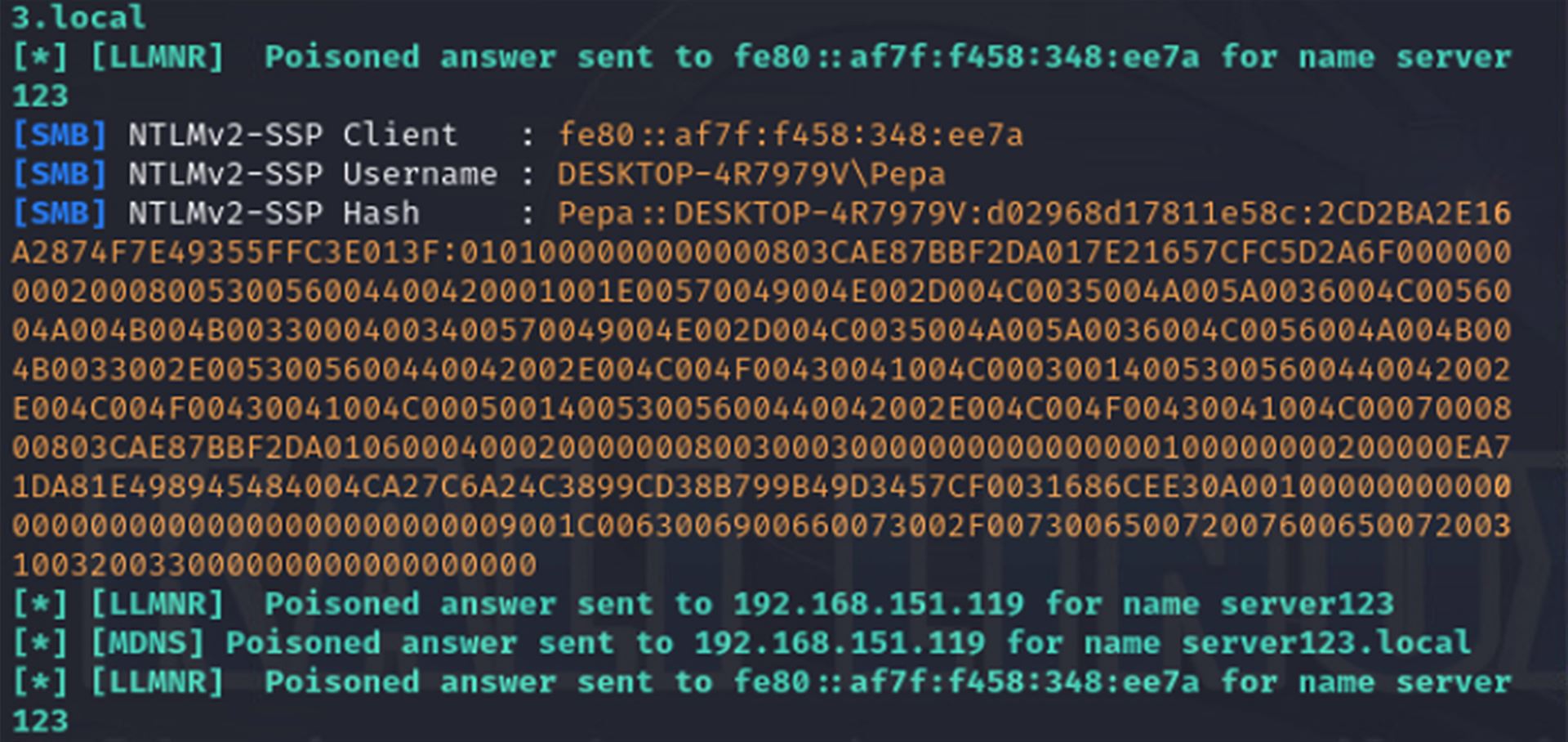
Poté, co DNS server odpoví, že nezná dané jméno, počítač vyšle do sítě tzv. LLMNR multicast a zeptá se všech zařízení v síti, zda někdo nezná \\server123. Responder tento dotaz zachytí a odpoví, že zná cílový počítač, a že mu klient může zaslat svůj autentizační hash a připojit se.
Tímto Responder získá požadované údaje – jméno klienta, jméno uživatele a především NetNTLMv2 hash, který obsahuje heslo uživatele. Na rozdíl od klasického NTLM hashe se NetNTLMv2 nedá použít k pass-the-hash útoku.
Z tohoto hashe lze uhádnout přihlašovací údaje, pokud uživatel používá velmi slabé heslo, pomocí útoku Brute Force.
Další možností, jak zneužít zachycený hash, je přeposlat autentizační údaje na server nebo službu, kde se útočník potřebuje autentizovat jménem oběti. Tento útok se nazývá NTLM Relay a vyžaduje interakci oběti, aby útočník mohl hash přeposlat. Celý útok je založen na principu man-in-the-middle.
V kybernetické bezpečnosti bývá nejslabším článkem člověk, a proto je důležité používat silná hesla a pravidelně je měnit. Díky tomu je prolomení hashe a získání hesla bez použití superpočítače časově náročné až nemožné.
Pokud chceme předejít zneužití slabiny v síťovém protokolu LLMNR, můžeme ho jednoduše vypnout pomocí GPO (Group Policy Management Console) v Active Directory. Ve starších verzích Windows je LLMNR známo také jako NBT-NS.
How to disable LLMNR?
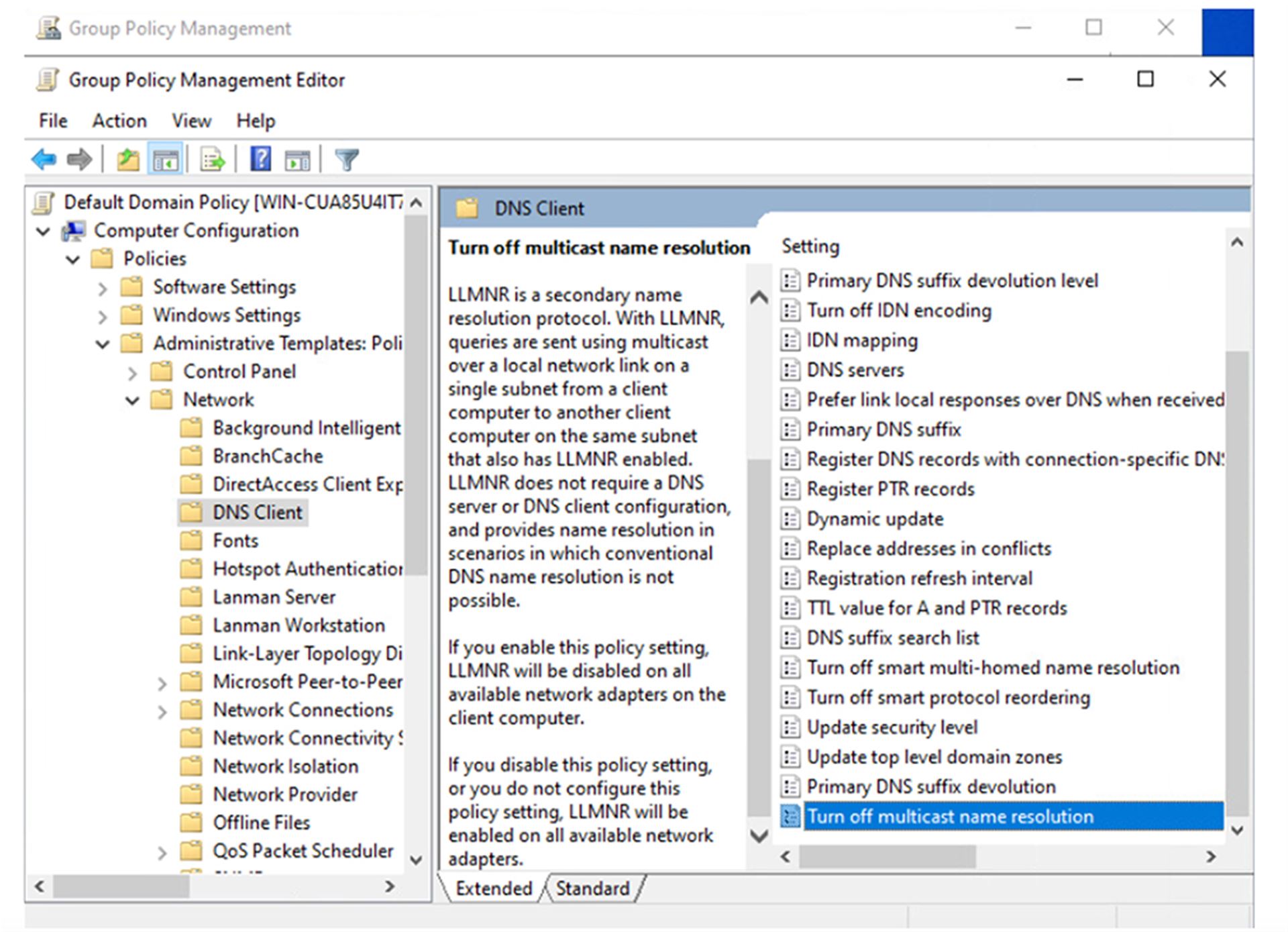
Log on to the domain controller or computer where you have access to the Group Policy Management Console. Create or select a group policy and click Edit.
V editoru se přesuňte do:
Computer Configuration -> Policies -> Administrative Templates -> Network -> DNS Client.
Vyberte Turn off multicast name resolution, klikněte na Editovat a nastavte stav na Enabled.
Conclusion
We must take into account that the abuse described in this article can have many other scenarios in which attackers can exploit this vulnerability to compromise the network or obtain sensitive data. Our goal was to show at least one practical example that demonstrates why it is important to disable LLMNR in corporate network environments. Disabling LLMNR is one of the simple steps you can take to increase the security of your network and make it more difficult for attackers to compromise your systems.